
Updated JUWA 777 App · Android
JUWA 2.0 Login Guide: Updated JUWA 777 App for Android
JUWA 2.0 login requires a username and password issued during registration or checkout on the distributor’s site. juwa777.to describes JUWA 2.0 as the new updated version of the JUWA 777 app, installed as an APK outside Google Play. No official publisher page confirms that description, and login steps differ by distributor.
This guide covers the login steps, common login problems, and safety checks. Each claim names its source, and where sources disagree or stay silent, the text says so.

Overview
What Is JUWA 2.0?
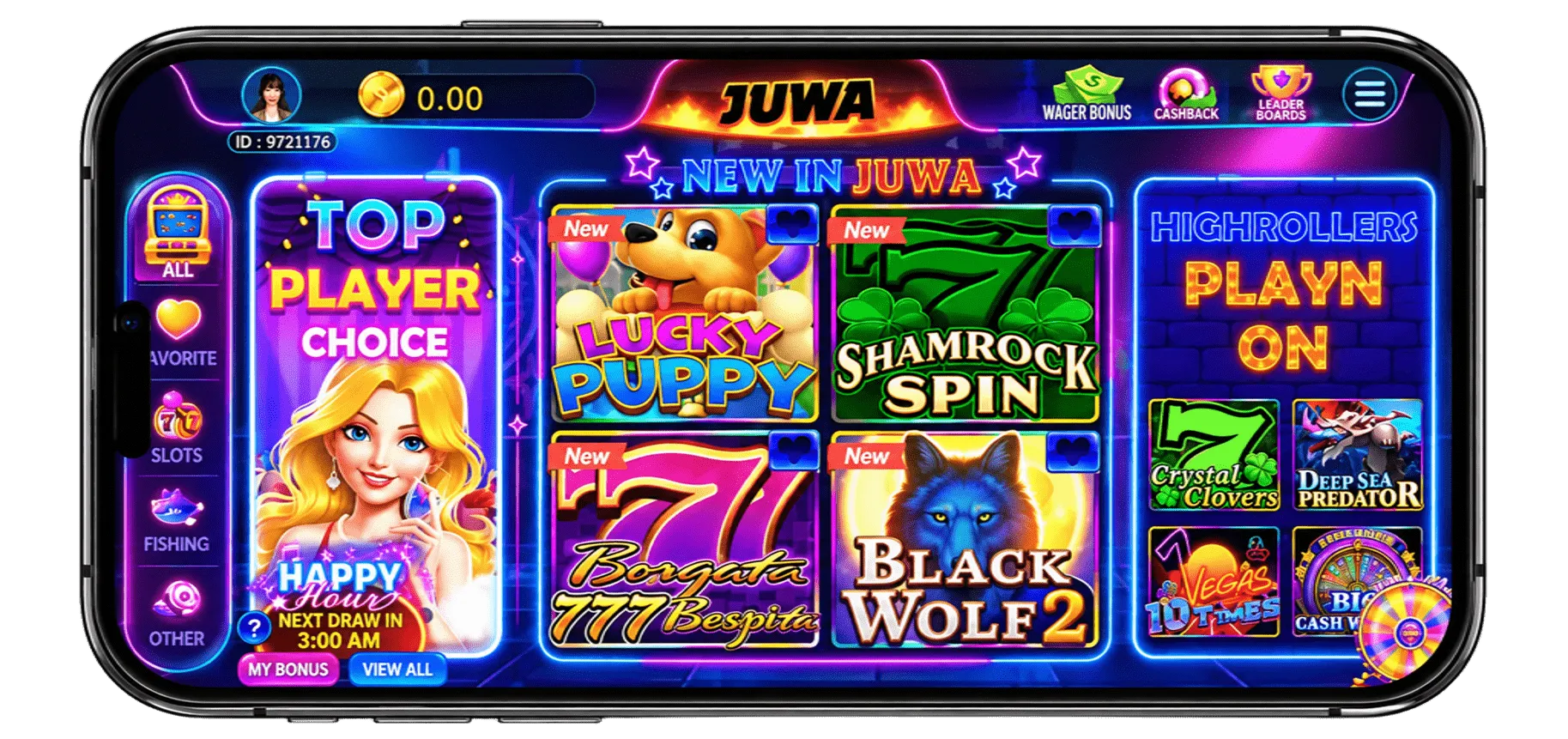
JUWA 2.0 is presented as the second-generation release of JUWA 777. juwa777.to lists it as v2.0, “Based on” JUWA 777, for Android 5.0 and up, with the developer shown only as “Juwa”. The same page claims faster login, new slot titles, and an updated wallet. It is unverified, since no publisher release notes back any of it.
| Detail | Claimed by juwa777.to | Status |
|---|---|---|
| Version | v2.0 | Unverified |
| Based on | JUWA 777 | Unverified |
| Android | 5.0 and up | Unverified |
| Developer | “Juwa” | Unverified |
| File size | 62 MB (details) / 65 MB (table) | Unverified |
The page gives two different file sizes for JUWA 2.0: 62 MB in the app details and 65 MB in the comparison table. Check the size on the page you download from before installing.
Step-by-step
How to Log In to JUWA 2.0
Login takes 5 steps on Android: get the account, install the app, open it, enter the credentials, and complete verification. Distributors confirm the steps in different order, so follow the instructions from the site that supplied the account.
- Register an account on the distributor’s site. According to Galactic Sweeps, registration comes before checkout. juwa6.net asks for a username, email address, and password.
- Complete checkout if the distributor requires it. Galactic Sweeps states that login details arrive by email after checkout.
- Download the APK from the link the distributor supplies, and open it from the Downloads folder.
- Open the app and enter the username and password.
- Enter the verification code if one is requested. juwa6.net states that a code is sent to the registered email address.
🧰
What You Need
- An Android phone
- A stable connection
- An inbox that receives the code
- The credentials from the distributor
If a step fails, go to Login Problems.
Account transfer
Will My JUWA 777 Account Work in JUWA 2.0?
The answer is unconfirmed. juwa777.to claims the same username and password restore the old account, and it recommends uninstalling JUWA 777 before installing JUWA 2.0. Galactic Sweeps says the names point to the same platform but offers no technical detail. Each distributor issues its own accounts, so a JUWA 777 login may not open a JUWA 2.0 app from a different distributor. Confirm with the distributor before entering credentials in the new app.
Browser access
How to Access JUWA 2.0 Online
Sources disagree on browser access. Galactic Sweeps states that iPhone users open a web version in Safari and desktop users open it in a modern browser. juwa777.to says JUWA 2.0 is not officially available on iPhone and is built for Android only. No source describes Android browser access. Use only the login page the distributor supplies.
Troubleshooting
JUWA 2.0 Login Problems and Solutions
Most login failures trace to 4 causes: wrong credentials, a lost password, a page that does not load, or an outdated or incompatible app. Persistent problems go to the distributor’s support, since no verified official support channel exists.
| Symptom | Likely Cause | Fix |
|---|---|---|
| Incorrect username or password | Typing error or account from a different distributor | Copy the details from the original email, remove extra spaces, check Caps Lock, and confirm the account came from the same distributor as the app |
| Page not loading | Connection fault or stale app session | Switch between Wi-Fi and mobile data, force-stop and reopen the app, clear the browser cache, retry later |
| Login fails after an update | Outdated APK or old JUWA 777 copy still installed | Download the current APK from the distributor and uninstall the older app first |
| Valid details rejected | Account belongs to a different system | Ask the distributor which app the account works in |
Account recovery
JUWA 2.0 Forgot Password or Account Recovery
No verified password-reset process exists for JUWA 2.0. Neither Galactic Sweeps nor juwa6.net documents a reset flow. Recovery depends on the distributor:
- Search the registered inbox for the original credential or verification email.
- Look for a “Forgot password” link on the distributor’s login page.
- Contact the distributor with the registered email address and username.
Do not enter credentials on any site that offers a reset for a fee or asks for a payment method.
Stay safe
Is JUWA 2.0 Login Safe?
Login safety depends on the download source, because the app is distributed as an APK outside Google Play. Google’s Play Protect help page states that apps from other sources can be harmful. juwa777.to calls its own file “genuine” and “completely safe,” but no independent source confirms that. Apply these 5 checks:
🔗
Distributor Link Only
Use only the download link the distributor supplied after registration, and avoid links from ads, comments, and messages.
🛡️
Keep Play Protect On
Keep “Scan apps with Play Protect” enabled.
📋
Review Permissions
SMS, accessibility, and device administration are high-risk for a gaming app.
🤐
Never Share Codes
Never share the password, verification code, or payment details by chat or email.
🔑
Unique Password
Use a unique password, not one from email or banking accounts.
Is JUWA 2.0 Available in the US?
Availability depends on state law, not on technical access. juwa6.net states that availability, redemption policies, and legality vary by state. As of October 8, 2026, Gambling.com lists statutory bans on sweepstakes casinos in 9 states, with an Oklahoma ban effective November 1, 2026. That list covers sweepstakes casinos in general and does not confirm that JUWA 2.0 operates in any state. Check your state regulator’s current guidance. This is not legal advice.
FAQ
JUWA 2.0 Login FAQs
How Do I Log In to JUWA 2.0 on Android?
Install the APK from the distributor’s link, open the app, and enter the username and password from registration. Enter the emailed verification code if requested.
Can I Log In Without Downloading the APK?
Sources disagree. Galactic Sweeps reports a browser version for iPhone and desktop. juwa777.to says iPhone is not supported. No source confirms Android browser access.
Do JUWA 777 and JUWA 2.0 Use the Same Login?
The shared login is unconfirmed. juwa777.to claims the old credentials carry over, but no verified account-system information supports it.
Do I Need to Uninstall JUWA 777 First?
juwa777.to recommends it so the account loads cleanly. This is unverified. Uninstalling also removes any old copy that could cause a version conflict.
What Should I Do if My Login Fails?
Check the credentials, test the connection, update the APK, and then start account recovery. Contact the distributor if all 4 checks fail.
Need the JUWA App First?
Install the app from a verified source before you log in. Our download guide walks through the Android APK, iPhone access, and source checks step by step.